The setup checklist, start to finish
The Dashboard shows what is left to set up before you can go live.
Your Dashboard shows a checklist until you are live. Each item links straight to the screen that completes it. When every item is ticked, you are ready to answer real calls.
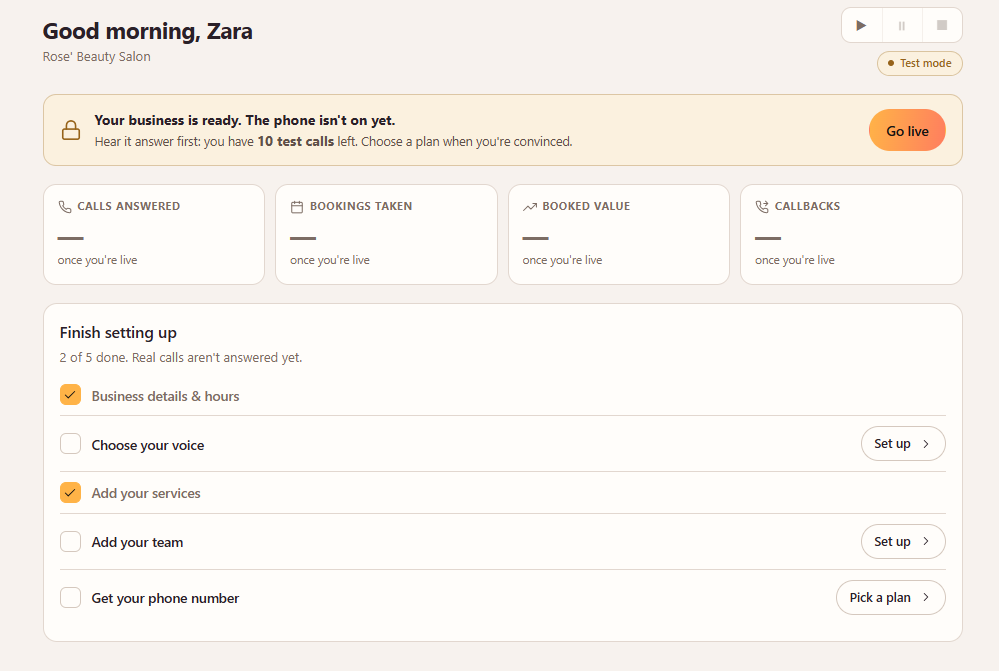
- 1Add your business details and opening hours.
- 2Choose how your receptionist sounds.
- 3Add your services.
- 4Add your team.
- 5Choose a plan and get your phone number.
Still need help?
Raise a support request from the Help and support screen inside the app. It reaches us with your business already attached, so we can help straight away.